



LEGACY POS TO SHOPIFY MIGRATION
Legacy POS to Shopify, one inventory for the store and the website
Retire the register that doesn’t talk to the website. We move your catalog, customers and sales history into Shopify, set up Shopify POS in every location, and launch the online store on the same inventory.
 Shopify POS + Online
LEGACY POS → SHOPIFY POS + ONLINE
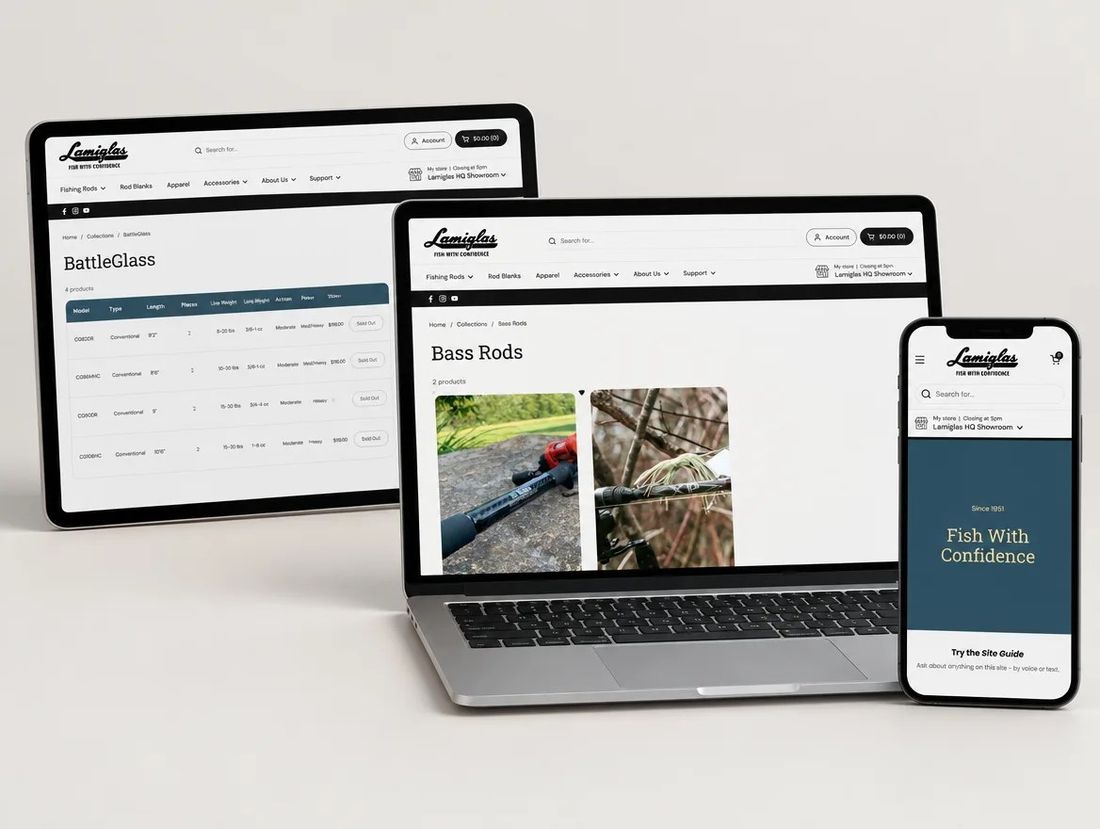
Western Ways · 3 locations · one inventory
TYPICAL TIMELINE
6 to 10 weeks for a retailer with one to three locations
COST
Quoted after the catalog and hardware inventory
SEO RISK
Low — usually no website to protect; we build one
MOVES CLEANLY
Products, variants, barcodes, customers and sales history
MUST BE REBUILT
Receipts, reports, loyalty and any custom register workflows
IN SHORT · CHECKED OCTOBER 2026 AGAINST SHOPIFY POS DOCS
A legacy POS to Shopify move is a data clean-up plus a hardware and process change. Lightspeed, Square, Clover, QuickBooks POS and older systems export products, barcodes, customers and sales as CSV, which we clean and import. Shopify POS runs on iPads with Shopify hardware; receipts, reports and loyalty are replaced by Shopify’s. The online store launches on the same inventory, so stock is right in both places.
WHY TEAMS MOVE
Why retailers move to Shopify POS
01
Two inventories that never match
A register and a website with separate stock means overselling, manual counts and spreadsheets. Shopify is one inventory, everywhere.
02
Hardware and software past their life
Old registers, Windows terminals and discontinued POS software are a risk. Shopify POS runs on iPads with hardware you can buy today.
03
Customers who shop both ways
Buy online pick up in store, ship from store, returns anywhere: Shopify POS and the online store share customers and orders.
04
Reports you can act on
Sales by location, product and staff in one dashboard, instead of exports from two systems.
OLD VS NEW
Legacy POS vs Shopify POS, for this move
Legacy POS

Shopify POS + Online
Hardware
Ageing terminals and licensed software
iPads, Shopify card readers and barcode scanners
Inventory
Separate from the website, synced by hand
One inventory across locations and online
Catalog & orders
Products, barcodes and sales in the register
Products, variants, customers and orders shared with online
Checkout
Register only
Register, online checkout, pickup and ship-from-store
Apps & extending
Vendor add-ons, if any
POS apps, loyalty, Shopify Flow and custom code
Reports
Exports from the register
Sales, inventory and staff reports in one admin
WHAT MOVES, WHAT DOESN’T
What comes across from a legacy POS
Most registers export products, barcodes, customers and sales. Plan for a clean-up of the catalog and a fresh online store on the same data.
Products & variants
Products, variants, barcodes, costs and stock by location export as CSV; we clean, dedupe and import.
Customers & orders
Customers and sales history import via CSV or the API; store credit and loyalty balances are migrated or re-issued.
Receipts & reports
Receipt templates and reports are replaced by Shopify POS receipts and reports.
Online store
Usually new: we build the online store on the imported catalog so it launches with stock that is right.
Hardware
Old terminals are retired; iPads, card readers, scanners and printers are set up per location.
Payments
Shopify Payments in store and online; taxes set by location.
Loyalty & gift cards
Balances migrated to Shopify gift cards and a loyalty app; staff workflows rebuilt in POS.
CONTENT MODEL
How register data maps to Shopify
LEGACY POS · BEFORE
Products
Items with SKUs, barcodes and stock per store.
SHOPIFY · AFTER
Products & variants
Products with variants, barcodes and inventory per location.
LEGACY POS · BEFORE
Departments
Departments and categories in the register.
SHOPIFY · AFTER
Collections & tags
Shopify collections, manual and automated, with the same grouping.
LEGACY POS · BEFORE
Customers
Customers with phone numbers and purchase history.
SHOPIFY · AFTER
Customers
Customers shared across POS and online, with history.
LEGACY POS · BEFORE
Sales
Transactions in the register’s export.
SHOPIFY · AFTER
Orders
Orders by location, with staff and payment attribution.
PROCESS AND TIMELINE
How we move a retailer to Shopify POS
Our usual order for one to three locations. Each extra location adds a few days of hardware setup and training.
1
WEEK 1Audit & inventory
Export items, barcodes, customers and sales from the register, inventory the hardware per location, and list every workflow staff rely on.
2
WEEK 1Catalog clean-up & data model
Dedupe items, fix barcodes and options, and map departments to collections before anything is built.
3
WEEKS 2–5Online store build
Build the online store on a Shopify 2.0 theme with pickup, local delivery and the catalog as it will be sold.
4
WEEKS 5–7Data migration
Import products, stock by location, customers and sales history, then count stock in each store against the import.
5
WEEKS 7–8Hardware & training
Set up iPads, readers, scanners and printers per location, configure receipts and taxes, and train staff on the register.
6
LAUNCH + 4 WEEKSLaunch & watch
Switch registers on a quiet morning with us on site or on call, launch the online store, then watch stock and sales daily.
GO-LIVE SAFETY
The switch-over checklist
Register switches fail three ways: wrong stock, untrained staff, missing hardware. These four stages close all three.
STAGE 1
Before the build
- Item and barcode inventory, deduped
- Stock counted per location against the export
- Hardware list per location, ordered and tested
- Tax rates and receipt details per location
STAGE 2
During the build
- Products imported with barcodes and costs
- Customers and sales history imported
- Gift card and loyalty balances migrated
- Staff accounts and permissions set
STAGE 3
Before launch
- Test sales, refunds and exchanges on every register
- Staff trained; a one-page cheat sheet at each register
STAGE 4
After launch
- Daily stock and sales check for two weeks
- Online orders, pickups and returns watched daily
FREE HARDWARE PLANNER
Plan your Shopify POS hardware per location
Tell us the locations and registers you run and get a hardware list with prices.
Run the planner →FREE STORE AUDIT
Get a free plan for your move
Send your register and locations and we reply with a timeline, a hardware list and a quote.
Run the checker →FAQ
What retailers ask before switching POS

Not sure which move you need?
We’ll look at your store on a 30-minute call.
Book a callWill we lose our Google rankings?
Not if the redirects and on-page signals are done right. Every changed URL gets a one-to-one 301, and we track rankings, 404s and indexing daily against the pre-launch baseline.
How long does a WooCommerce to Shopify migration take?
4 to 8 weeks for a typical DTC store. Bigger catalogs and B2B take longer; we confirm the timeline after the catalog and URL audit.
How much does a WooCommerce migration cost?
It's quoted after the catalog and URL inventory, because catalog size, plugins to replace and design scope drive the effort.
Will our product URLs change?
Usually, because WooCommerce and Shopify structure URLs differently. Each changed URL gets a one-to-one 301 redirect, imported from a CSV before launch.
Can you redesign the store during the migration?
Yes. WooCommerce themes don't carry over, so the storefront is rebuilt anyway and most teams redesign as part of the move.
You've reached the end, so now…
Tell us what you're selling.
Send us your store. Within one business day you get a short Loom from a senior: the three things we'd fix first, what it would cost, and whether we're the right team for it.
- No pitch deck, no discovery-call theatre
- You keep the audit whether or not you hire us
- Fixed-scope quotes, no hourly surprises

Prefer to talk? Book 20 minutes with Haniel or call +1 855-764-4977