



BIGCOMMERCE TO SHOPIFY MIGRATION
BigCommerce to Shopify, with every URL accounted for
Move to the platform with the bigger app ecosystem and the better checkout. We rebuild the storefront on Shopify, move the catalog, customers and orders, and keep every ranking URL.
 BigCommerce
 Shopify
BIGCOMMERCE → SHOPIFY
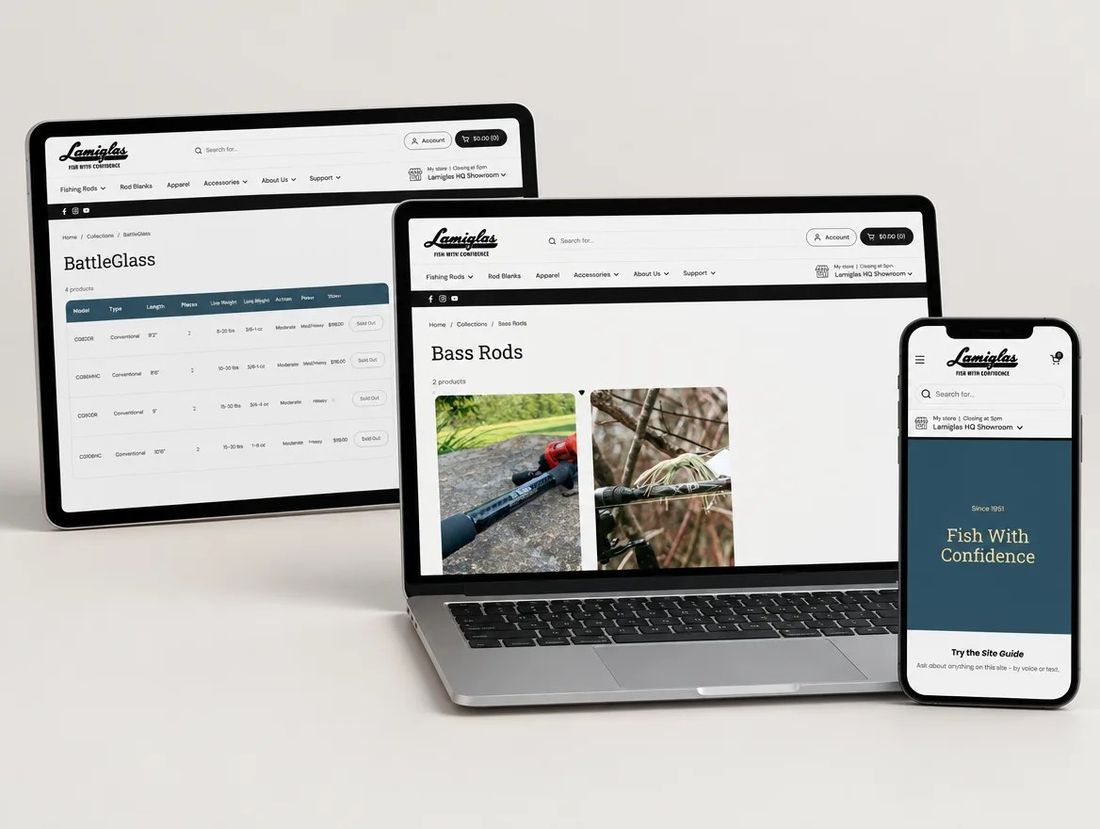
Lamiglas · moved from WooCommerce
TYPICAL TIMELINE
5 to 9 weeks for a typical DTC store
COST
Quoted after the catalog and URL inventory
SEO RISK
Low to medium — BigCommerce allows custom URLs, so most paths can be kept
MOVES CLEANLY
Products, options, customers, orders and reviews
MUST BE REBUILT
Stencil theme, checkout and app features
IN SHORT · CHECKED OCTOBER 2026 AGAINST BIGCOMMERCE AND SHOPIFY DOCS
A BigCommerce to Shopify migration is a theme rebuild plus a data move. BigCommerce exports products, options, customers and orders, which we clean and push through Shopify’s Admin API. Stencil themes and apps don’t carry over, so the storefront is rebuilt and each app is matched. Because BigCommerce lets you set custom URLs, most product and category paths can be kept; the rest get one-to-one 301s.
WHY TEAMS MOVE
Why teams leave BigCommerce for Shopify
01
A smaller app ecosystem
The tool you want often exists for Shopify first, or only. Reviews, subscriptions, loyalty and B2B apps are deeper on Shopify.
02
Checkout that’s harder to shape
Shop Pay, Checkout Extensibility and Functions give you a faster checkout you can still customise on Plus.
03
Speed and Core Web Vitals
Stencil themes get heavy as apps stack up. Shopify 2.0 themes and Hydrogen start lighter and are easier to keep fast.
04
Scaling and reliability
Variant and API limits on BigCommerce plans push growing catalogs into workarounds. Shopify Plus removes most of them.
OLD VS NEW
BigCommerce vs Shopify, for this move

BigCommerce

Shopify
Upkeep
Hosted; theme and app updates are yours
Hosting, security and updates handled by Shopify
Editing
Page Builder and Stencil; layout changes need a developer
Theme editor and sections; merchants edit layouts themselves
Catalog & orders
Products with options and modifiers, customer groups
Native products, variants, customers and orders
Checkout
Hosted checkout with limited customisation
Hosted, high-converting checkout, PCI handled
Apps & extending
A smaller App Marketplace
Vetted App Store, Functions and custom code
Redirects
Custom URLs plus a 301 redirects table
Built-in URL redirects, imported from a CSV
WHAT MOVES, WHAT DOESN’T
What comes across from BigCommerce
BigCommerce exports clean data and lets you keep most URLs. Plan for a storefront rebuild and a careful move of options and modifiers.
Products & variants
Products, options, modifiers, prices and inventory export cleanly; modifiers become variants or line-item properties.
Customers & orders
Customers, customer groups and order history import via the API; groups become tags or B2B companies.
Content & CMS
Web pages and blog posts become Shopify pages and posts; Page Builder regions are rebuilt as sections.
SEO
Titles, descriptions and redirects are set per page and per product; the 301 map imports from CSV.
Theme & storefront
Stencil themes don’t carry over; the storefront is rebuilt on a Shopify 2.0 theme.
Checkout & payments
Checkout moves to Shopify’s hosted checkout; payment and tax settings are reconfigured.
Plugins & extensions
Each app is matched to a Shopify app, a native feature, or custom code; gaps are flagged at the audit.
CONTENT MODEL
How BigCommerce content maps to Shopify
BIGCOMMERCE · BEFORE
Products
Products with options, modifiers and custom fields.
SHOPIFY · AFTER
Products & variants
Products with variants, line-item properties and metafields.
BIGCOMMERCE · BEFORE
Categories & tags
Categories (nested) and brands.
SHOPIFY · AFTER
Collections
Shopify collections, manual and automated, with the same grouping.
BIGCOMMERCE · BEFORE
Customers
Customers and customer groups with order history.
SHOPIFY · AFTER
Customers
Shopify customers with addresses, tags and order history preserved.
BIGCOMMERCE · BEFORE
Posts & pages
Web pages and blog posts built in Page Builder.
SHOPIFY · AFTER
Blog & pages
Shopify pages and blog posts, rebuilt as sections.
PROCESS AND TIMELINE
How we move a BigCommerce store to Shopify
Our usual order for a DTC store with a blog. Bigger catalogs and B2B take longer.
1
WEEK 1Audit & inventory
Crawl every URL, export the catalog, options, customers and orders, and record titles and rankings. Custom URLs are listed so they can be kept.
2
WEEK 1Redirect map & data model
Decide every URL’s fate (keep, 301 or retire) and map products, collections and content to Shopify before anything is designed.
3
WEEKS 2–4Design system & rebuild
Build type, color and spacing tokens and reusable sections in Shopify, then the templates and collection pages.
4
WEEKS 4–5Data migration
Clean the BigCommerce export, import products, customers and orders through the Admin API, then check options and images by hand.
5
WEEKS 5–6SEO parity & QA
Set titles, descriptions, alt text and schema, import the 301 map, and test every form, link and redirect on a preview theme.
6
LAUNCH + 4 WEEKSLaunch & watch
Launch early in the week, submit the sitemap, then watch 404s, indexing and rankings daily against the baseline.
SEO SAFETY
The pre-launch checklist
Rankings are lost three ways: broken URLs, missing on-page signals, crawl problems. These four stages close all three.
STAGE 1
Before the build
- URL inventory, every live URL listed by template
- Redirect map, one 301 per changed URL
- Trailing slashes and product URL rules
- Category and tag archives kept or redirected
STAGE 2
During the build
- Titles and descriptions per page and product
- Canonicals and structured data
- Image alt text
- A clean, complete sitemap
STAGE 3
Before launch
- 301 map imported and tested
- Forms, links and redirects tested on a preview theme
STAGE 4
After launch
- Submit the sitemap and request indexing
- Watch 404s, indexing and rankings daily
FREE MIGRATION PLANNER
Plan your BigCommerce to Shopify redirects
Enter your store to list every URL, see which keep their path, and get the 301 redirect map.
Run the planner →FREE SEO & AEO CHECKER
Check your new Shopify store for AI answers
See if ChatGPT, Claude, Perplexity and Google AI Overviews can find, read and cite your store.
Run the checker →FAQ
What BigCommerce teams worry about

Not sure which move you need?
We’ll look at your store on a 30-minute call.
Book a callWill we lose our Google rankings?
Not if the redirects and on-page signals are done right. Every changed URL gets a one-to-one 301, and we track rankings, 404s and indexing daily against the pre-launch baseline.
How long does a WooCommerce to Shopify migration take?
4 to 8 weeks for a typical DTC store. Bigger catalogs and B2B take longer; we confirm the timeline after the catalog and URL audit.
How much does a WooCommerce migration cost?
It's quoted after the catalog and URL inventory, because catalog size, plugins to replace and design scope drive the effort.
Will our product URLs change?
Usually, because WooCommerce and Shopify structure URLs differently. Each changed URL gets a one-to-one 301 redirect, imported from a CSV before launch.
Can you redesign the store during the migration?
Yes. WooCommerce themes don't carry over, so the storefront is rebuilt anyway and most teams redesign as part of the move.
You've reached the end, so now…
Tell us what you're selling.
Send us your store. Within one business day you get a short Loom from a senior: the three things we'd fix first, what it would cost, and whether we're the right team for it.
- No pitch deck, no discovery-call theatre
- You keep the audit whether or not you hire us
- Fixed-scope quotes, no hourly surprises

Prefer to talk? Book 20 minutes with Haniel or call +1 855-764-4977